This is Blog 3 on VMware Site Recovery Manger. This post will cover Resource Mappings, Folder Mappings, Network Mapping sand the Placeholder Datastores. At this point we have installed SRM at each site, connected them to the vCenter Server and connected the 2 sites.
Current Progress
- Prod and DR Cluster
- Prod and DR Cluster
- 1 host per cluster with vSphere 5.5
- 1 Domain Controller (08R2) per site
- 1 vCenter Virtual Appliance (5.5) per site
- 1 SRM server per site. SQL express is installed on the same server
- SRM servers paired together
Site Mappings
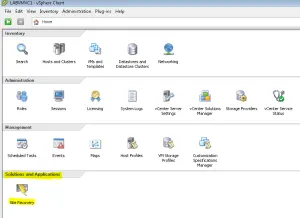
Open up your vSphere client a the Production Site and go to SRM under the Solutions and Applications Tab
Resource Mappings
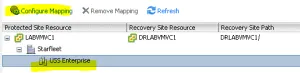
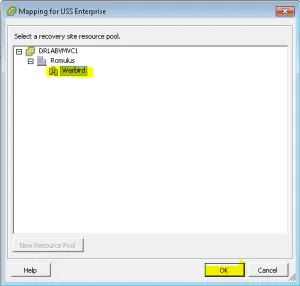
Go to the Resource Mappings Tab and select “Configure Mapping”. The point of this is to map your Production Clusters to the DR Clusters so vCenter knows how to designate resources for the VMs you are protecting. Make sure you have created the Cluster and Resource Pools at DR before configuring this.
Map your Production Clusters and Resource Pools
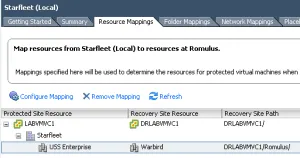
After you have mapped the Cluster you will see them under the Resource Mappings Tab
Folder Mappings
Go to the Folder Mappings tab and select “Configure Mapping” on the highlighted Folder. The point of this is to map the folders that you have created to the DR side.
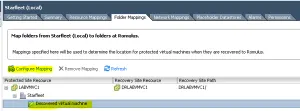
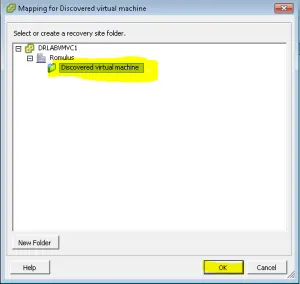
Map the Folders to the Recover Site
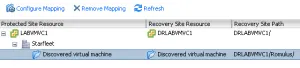
After you have mapped the Folders you will see them in the Folder Mappings Tab
Network Mappings
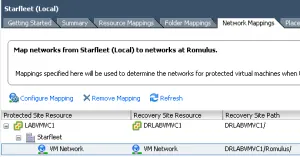
Go to the Network Mappings tab and “Configure Mapping”. You want to make sure all the networks are mapped so vCenter knows what network or dvPort Group to put the VMs on when they are added to inventory. Networks need to be created at DR before this step.
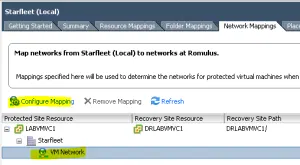
Map your Networks
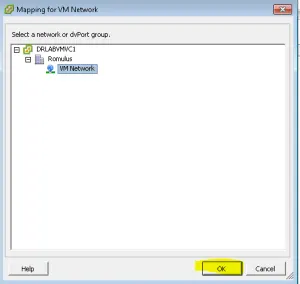
After you have mapped all of the Networks they will show up under the Network Mappings Tab
Placeholder Datastores
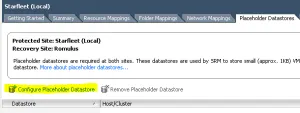
Go to the Placeholder Datastores tab and “Configure Placeholder Datastore”. This designates Datastore that SRM will use to reserve a space for VMs in the Inventory at the DR Site. The Placeholder Datastores must be seen by all hosts in the cluster and must not be replicated.
Select your Placeholder Datastores at DR
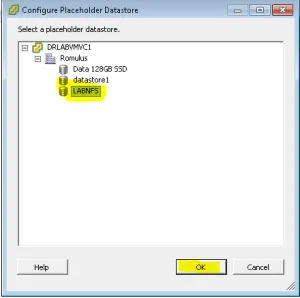
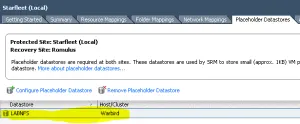
Your Placeholder Datastores will now show up under the Placeholder Datastores Tab.
At this point we have Installed SRM, Connected the Sites and Mapped Everything. The next Blog will cover installing vSphere Replication.
 Sam Shouse's Blog