The past 2 weeks I have been able to get my hands on XtremIO. Overall I am very impressed to say the least. I am going to do a series of posts to show you guys how a Storage Array with so much power can be so simple. I am going to start with how To Create LUN’s, Initiator Groups and then Map them together. Enjoy!
Step 1
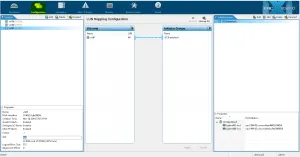
Login to XtremIO and go to the Configuration Tab. Your Volumes will be on the left and your Initiator Groups show up on the right
Step 2
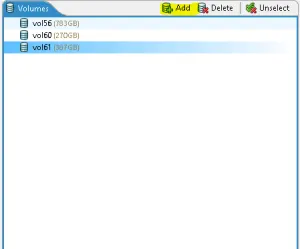
On the Volumes tab select Add
Step 3
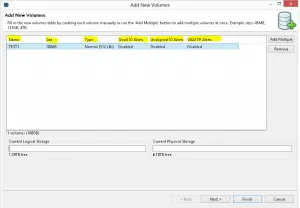
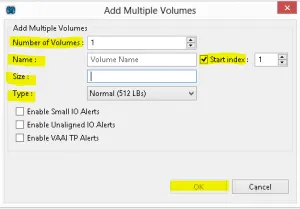
Several settings here so I will go over the not so obvious ones.
Size. When you put in the size option you have a few choices. 1m will give you 1 MB, 1g will give you 1GB and 1t will give you 1TB.
Type. You have the option of selecting the LB size and offset. Most of the time you will select Normal (512LBs) because, well Windows can be a little messy
Small IO Alerts. You can be alerted if the IO size is less the 4kb
Unaligned IO Alerts. You can be alerted when IOs are out of alignment
VAAI TP Alerts. Alert can be triggered in VMware when the storage array has met its Storage Capacity. I recommend setting this to Enabled.
Step 4
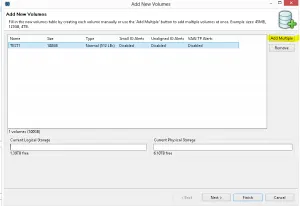
You have the option to add multiple Volumes. Let’s be realistic, who adds just 1 Volume?
Step 5
Options are pictured below. The Start Index is the number it will start with that will be appended to the end of the volume name
Step 6
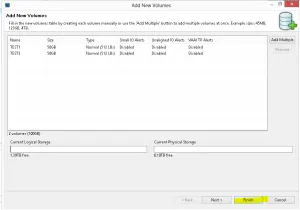
Create Your Volumes
Step 7
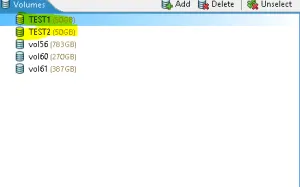
The volumes you created now show up under the Volumes Tab
Step 8
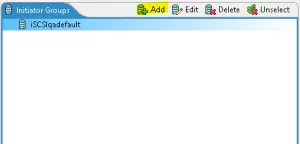
No that you Volume’s are created lets add some Initiator Groups. On the Initiator Groups Tab select Add
Step 9
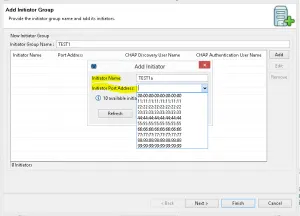
Name Your Initiator Group and Add each Initiator. I like to setup 1 host per Initiator Group. Name each Initiator and select the correct port address
Step 10
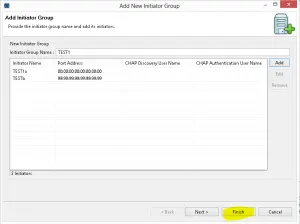
Finish!
Step 11
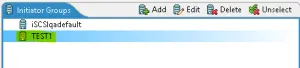
Your Initiator Groups Tab now shows your new group
Step 12
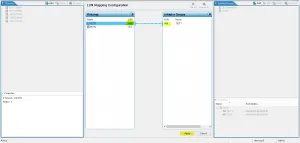
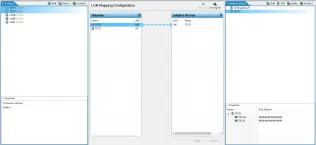
Now it’s time to map your Volumes to your Initiator Groups. You can change the Volume ID and it will mirror that number on the Initiator Group. Hit Apply.
Step 13
You have successfully created Volumes and initiator groups and mapped them. Your hosts should now be able to access the storage.
 Sam Shouse's Blog